TLDR
- MiniMax Music 3 (open-weight release 13 August 2026) writes a full song from a music description plus optional lyrics, with a vendor ceiling of about five minutes and 32 kHz, 16-bit stereo WAV (MiniMax blog; model card).
- Structured Caption is three headings in order: Global Metadata, Vocal Details, Arrangement. Official docs treat this as the precise-control language, not a single global style label (model card; GitHub README).
music-caption-rewriteris a static agent skill (no extra APIs, no weights). Install withnpx skills add MiniMax-AI/MiniMax-Music3 --skill music-caption-rewriter, then invoke$music-caption-rewriter(skills README).- 18 style families cover pop & ballad, hip-hop & rap, metal & heavy rock, cinematic orchestral, East Asian modern, jazz & swing, and more. The router picks a family first, then opens only the templates it needs (genre router).
- On this site: hear an official record on the homepage, then paste the rewritten caption and tagged lyrics into the workspace. One run is 20 credits; signup grants 20 credits.
Key Takeaways
- Two fields, two jobs. Official serving docs put lyrics in
inputand the music description ininstructions. The skill rewrites only the description; it must not quote or paraphrase lyric lines (GitHub README; SKILL.md). - Tags are structure, not decoration. Put
[Intro],[Verse],[Pre-Chorus],[Chorus],[Post-Chorus],[Bridge],[Instrumental],[Solo], and[Outro]on their own lines (model card; ComfyUI tutorial). - Genre beats mood adjectives. The official router treats
emotional,epic,dark, andcinematicas modifiers unless you also give groove, instruments, or a market style (genre router). - Do not invent a fake BPM or key. The skill says to use a range or a qualitative tempo unless a number is explicit or strongly justified (SKILL.md).
- Tags are not a DAW lock. Official limitations: generated tempo, key, instrumentation, lyrics, and structure may not match every requested detail (model card).
- This website is independent. Official research lives on the MiniMax blog and Hugging Face. Hear public demos here, then generate in the browser workspace.
What the skill actually returns
The rewriter is a text library with progressive disclosure. It does not scan all 1,000 templates. It reads the genre router, opens one (sometimes two) family indexes, picks up to three references with distinct roles—Foundation, Modifier, Arrangement—and synthesizes a new caption around your brief (skills README; SKILL.md).
Output is exactly three top-level headings, in English unless you ask otherwise, typically about 250–450 words for the arrangement block (SKILL.md):
| Block | What to name | What not to invent | | --- | --- | --- | | Global Metadata | Genre / subgenre, tempo (range or feel), emotional arc, listening scene, production profile | A precise BPM or key you never specified | | Vocal Details | Lead gender, timbre, register, delivery, harmony, restrained effects | Lyric subject matter copied from the verses | | Arrangement | Section timeline: what enters, exits, or intensifies | A static gear list with no energy arc |
For an instrumental request, Vocal Details must stay instrumental and name the instrument that carries the melody. The skill is forbidden from adding a singer you did not ask for (SKILL.md).
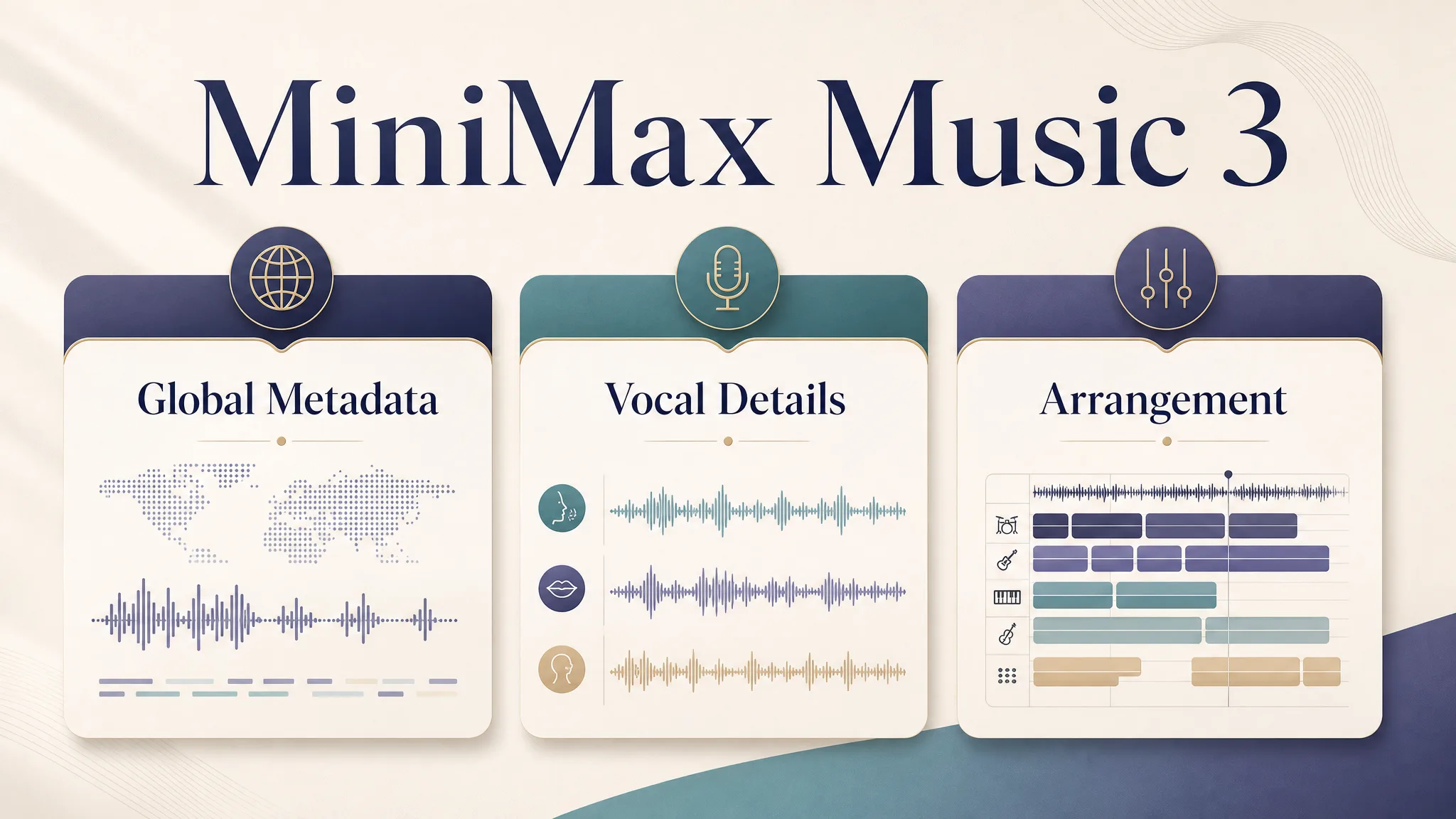
Global Metadata · Vocal Details · Arrangement · editorial diagram · generated for MiniMax Music 3 blog
The 18 style families (pick one, then write)
Use this table as a router, not a playlist. Official cue words come from the genre router.
| If your brief sounds like… | Route to | | --- | --- | | Mandopop / C-pop / J-pop with electronic, R&B, or dance production | East Asian modern | | Mandopop ballad, guofeng, acoustic or orchestral East Asian pop | East Asian ballad / heritage | | Contemporary R&B, neo-soul, trap soul | Modern R&B / neo-soul | | Soul, blues, gospel, worship | Soul / blues / gospel | | Soundtrack-like vocal ballad | Cinematic pop / ballad | | Film score, trailer, choir, orchestra as the identity | Cinematic orchestral / epic | | Synth-pop, dream pop, retrowave, downtempo | Electronic / synth / ambient pop | | Vocal jazz, swing, bossa, big band | Jazz / swing / big band | | Crooner, musical theatre, doo-wop, cabaret | Traditional vocal / stage | | Hip-hop, rap, trap, drill, lo-fi hip-hop | Hip-hop / rap | | Metalcore, power metal, hard rock | Metal / heavy rock | | Pop rock, indie rock, arena rock, punk | Pop / alternative rock | | Indie folk, singer-songwriter, modern acoustic | Contemporary folk / acoustic | | Celtic, traditional folk, reggae, heritage instruments as the core | Roots / traditional / global | | Only a mood, no genre | General pop / ballad (fallback) | | Dance-pop, nu-disco, funk-pop | Dance-pop / disco / funk | | House, trance, techno, festival drop | Club / EDM / house / trance | | Country, Americana, bluegrass, country pop | Country / Americana |
Fusion rule from the official router: “X with Y influences” means primary X, secondary Y. Read at most two families. A word like cinematic alone is a modifier, not enough to pick the orchestral family (genre router).
If you want a model-vs-model map instead of a writing workflow, use the sister article MiniMax Music 3 vs Suno.
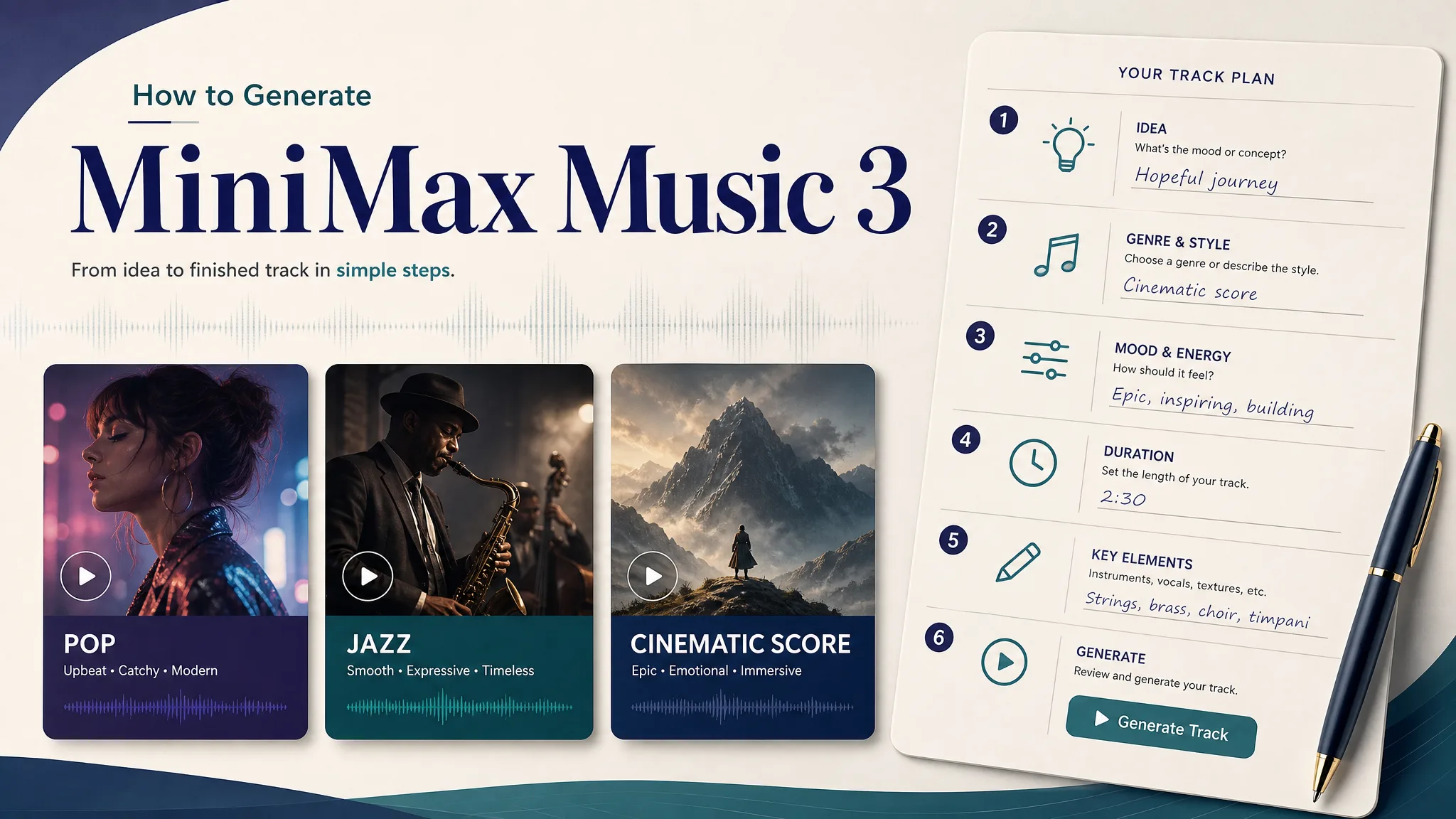
How to write the brief (five steps)
1. Listen first
Play one official record on the homepage. Feel Alive is a vocal-forward R&B reference; In the Way is a returning-chorus pop cut; The Real Man is a loud band. You are calibrating “what a finished Music 3 record can sound like,” not copying the demo lyrics.
2. Name the family in one sentence
Write the genre, who sings (or “instrumental only”), one core instrument, and how the energy should move. Example from MiniMax’s own docs: “A warm acoustic pop song with intimate female vocals, fingerpicked guitar, soft piano, and a gradual emotional build into a wide final chorus.” (GitHub README)
That sentence is already a legal description. The skill exists when you want the three-block expansion.
3. Add lyric tags only if you have words
If you have verses, put each tag on its own line. The skill treats only the brackets as musical directives. It must not reprint your lyric text inside the caption (SKILL.md).
If you have no words, skip lyrics mode or use instrumental mode in the workspace.
4. Expand—or paste the short line
Option A — you already use Cursor / Claude Code / Codex:
npx skills add MiniMax-AI/MiniMax-Music3 --skill music-caption-rewriterThen ask: Use $music-caption-rewriter to turn my music description and optional tagged lyrics into a concise, section-aware Music 3.0 caption. (skills README)
Option B — you just want a song today: paste Prompt A–D below into the workspace description box. A short official-style sentence still generates; the three-block form is for tighter control (model card).
5. Generate on this site
Open the MiniMax Music 3 workspace. Put the caption in the prompt / description field. Put tagged lyrics in lyrics mode. Switch to instrumental mode for Prompt D. One run costs 20 credits.
Copy-paste briefs (four jobs)
These are original workspace briefs, not copied template files. Change only names you own. Score each take on structure, lyric hold, vocal fit, arrangement clarity, and a usable ending.
Prompt A — acoustic pop that has to bloom
### Global Metadata
Genre: contemporary acoustic pop. Mid-tempo, unhurried pulse.
Intimate verse that opens into a wider, brighter final chorus.
Late-evening room, close-mic singer-songwriter production.

### Vocal Details
Soft female lead, close and breathy in the verse, clearer and more
supported in the chorus, light stacked harmonies only on the last chorus.
No rap, no choir wall.

### Arrangement
[Intro] fingerpicked guitar and a soft piano figure, no drums.
[Verse] guitar stays primary; piano answers between lines.
[Pre-Chorus] brushed kit and upright bass enter quietly.
[Chorus] drums and bass lock; guitar opens; piano widens.
[Verse] drop back toward the intro texture.
[Chorus] fuller than the first chorus.
[Outro] guitar and piano only, soft landing, no hard cutoff.

[Verse]
Morning light filtering through the pine
Every quiet street is yours and mine
[Chorus]
Softly the world begins to breathe
[Verse]
I keep the window cracked for the rain
[Chorus]
Softly the world begins to breathe
[Outro]
Leave the light on for the evening
The first two lyric lines follow MiniMax’s public example couplet; the rest is a short original sheet so the chorus can return (GitHub README).
Prompt B — trap-soul R&B, singer in front
### Global Metadata
Genre: contemporary R&B / trap soul. Slow-to-mid pocket, late-night.
Verse stays close and conversational; chorus opens without turning into EDM.
Headphones, dry-room vocal, polished but not glossy.

### Vocal Details
Mature male lead, warm baritone-tenor, intimate verse, fuller chorus.
Soft stacked backgrounds on the chorus only. No guest rap unless tagged.

### Arrangement
[Intro] electric piano and a muted guitar lick, 808 far back.
[Verse] hats stay quiet; bass is felt more than heard.
[Pre-Chorus] hats open a little; a second vocal layer appears.
[Chorus] 808 and clap land; keys widen; guitar stays decorative.
[Bridge] strip to keys and voice.
[Chorus] last chorus keeps the low end but does not add a festival drop.
[Outro] keys and a fading 808, no riser.

[Verse]
City lights smear on the window glass
I replay the message I should not have
[Pre-Chorus]
Tell me if the night is still honest
[Chorus]
Keep the low end under my voice
Do not let the drums start a fight
[Bridge]
If the hook comes back, let it come quiet
[Chorus]
Keep the low end under my voice
[Outro]
Leave the last note in the room
Prompt C — Mandopop / East Asian modern, singer-first
### Global Metadata
Genre: modern Mandopop with restrained electronic R&B color.
Mid-slow ballad pulse. Tender verse, lifted but not shouted chorus.
Indoor night scene, warm vocal in front of room piano and light pads.

### Vocal Details
Clear female lead, speech-like verse, longer tones in the chorus.
Light doubles on the chorus. No English rap, no stadium gang vocals.

### Arrangement
[Intro] room piano and a distant guzheng figure.
[Verse] piano and a soft electronic pulse; guzheng answers phrases.
[Pre-Chorus] pads rise; kick stays soft.
[Chorus] full but still singer-first; strings enter under the last line.
[Verse] thinner than verse one.
[Chorus] slightly wider than the first chorus.
[Outro] piano and guzheng only.

[Verse]
屋檐下青苔长
木窗边月影扬
[Chorus]
岁月如歌 歌声悠长
我们牵手走过风霜
[Verse]
摇椅轻晃夕阳下
[Chorus]
岁月如歌 歌声悠长
[Outro]
人间烟火 平淡无瑕
Official MiniMax samples include a warm Mandarin ballad and a Shanghai jazz / soul cut; this brief is a workspace starting point, not a claim that every run will match those demos (MiniMax blog; official demo).
Prompt D — cinematic instrumental, no singer
### Global Metadata
Genre: cinematic orchestral cue, not a pop song.
Slow build from a thin solo line to a controlled mid-fortissimo, then release.
Trailer-adjacent, but no cheap brass stab every four bars.

### Vocal Details
Instrumental only. No lead singer, no choir lyric, no whispered vocal hook.
Low strings and a solo cello carry the melody.

### Arrangement
[Intro] solo cello, almost dry.
[Instrumental] violas and a quiet pulse enter; harp is decorative.
[Instrumental] low brass supports, percussion stays military-soft.
[Instrumental] peak without a jump-scare hit.
[Outro] cello alone, room tail, no hard cutoff.
[Instrumental]
[Outro]
Official docs document an instrumental path in the caption / tag set (ComfyUI tutorial). Use instrumental mode in the workspace so the model is not asked to invent a singer.
Controls, failures, checklist
Controls that actually exist on this site
- Prompt / lyrics / instrumental modes in the workspace
- A 20-credit cost shown before the run
- Library replay plus WAV / MP3 download after a finished take
Failures the official docs already warn about
- Tags and captions are generative control, not a locked tempo map or a guaranteed instrument list (model card)
- Local self-host is a different job (documented around 24 GB full precision, about 8 GB with layer streaming). This site is the browser path (model card)
- Vendor duration is up to five minutes; official homepage demos sit near three minutes. Do not read every hosted run as a five-minute render (model card; ComfyUI)
Checklist before you spend the second 20 credits
- One family name, not five stacked adjectives
- Singer gender or “instrumental only”
- One instrument that must stay audible
- Tags on their own lines if you have lyrics
- You already heard a homepage demo that matches the job
What We Know vs. What We Don’t
| We know (sourced) | We don’t know / won’t claim |
| --- | --- |
| Music 3 open-weight launch 2026-08-13 (MiniMax blog; X) | That a three-block caption always beats a one-sentence vibe on every genre |
| Official skill: 18 families, ~1,000 templates, static text library (skills README) | That the rewriter copies a template ID into your song (it is told not to) |
| Caption → instructions, lyrics → input (GitHub README) | That hosted runs here expose those raw API field names in the UI |
| Section tags + caption are documented control, not symbolic guarantees (model card) | Exact BPM / key / instrument lock on every take |
| This product: 20 credits per run, 20 credits on signup | Cross-channel dollar-per-song shopping tables |
FAQ
Do I need the music-caption-rewriter skill to use MiniMax Music 3?
No. Official docs say a concise natural-language description can be used directly. The skill is for richer, more precise control (model card; skills README).
How do I generate different genres with MiniMax Music 3?
Name a family from the router (pop, hip-hop, jazz, cinematic orchestral, East Asian modern, and the rest), then write Global Metadata + Vocal Details + Arrangement. Paste that into the workspace. Mood words alone route to the general pop / ballad fallback (genre router).
What should I put in lyrics vs the music description?
Lyrics: words plus section tags. Description: style, emotion, vocal, instruments, and how the arrangement changes. Do not paste the same verse into both fields (GitHub README; SKILL.md).
Can MiniMax Music 3 make an instrumental?
Yes. Say instrumental in the caption and use instrumental mode. Official materials include [Instrumental] as a tag (ComfyUI). Prompt D is the copy-paste starting point.
Will the model hit my exact BPM and key?
Not as a guarantee. Official limitations say tempo, key, instrumentation, lyrics, and structure may drift (model card). Prefer a tempo feel unless you truly need a number.
Is this website MiniMax official?
No. minimaxmusic3.org is an independent product. Official research is on the MiniMax blog and Hugging Face. We host public demo audio so you can hear a reference before you spend credits.
How do credits work here?
One music run is 20 credits. Signup grants 20 credits, so the first song is covered. Extra songs use a one-time pack. Failed runs refund credits. This article does not compare other companies’ price lists.
Can I use a generated song commercially?
Paid credit packs on this site include commercial use under our legal pages. The signup trial song is for personal testing. MiniMax’s Community License is a separate contract if you self-host the weights (LICENSE).
Where should I start if I only have a mood?
Play a homepage demo, then run Prompt A (vocal pop) or Prompt D (instrumental). Add who sings and one instrument before you stack adjectives.
Does the skill rewrite my lyrics?
No. Official skill rules: lyric text is never reproduced or rewritten; only bracketed tags act as musical directives (skills README).
Should I compare prices across platforms here?
No. Decide on job fit and keeper rate, then price on the surface you actually ship from.
About Quinn Sato
Quinn Sato is a music workflow writer who turns lyrics, captions, and instrumental briefs into repeatable browser workflows on MiniMax Music 3.